The city with every order
The latest orders list shows the shipping city, so the delivery team can get ready for what's next.
Gift and flower stores move fast: same-day orders and occasions like graduations and Mother's Day. Nabd shows each new order the moment it arrives, with its city, so the prep and delivery team knows what's coming.
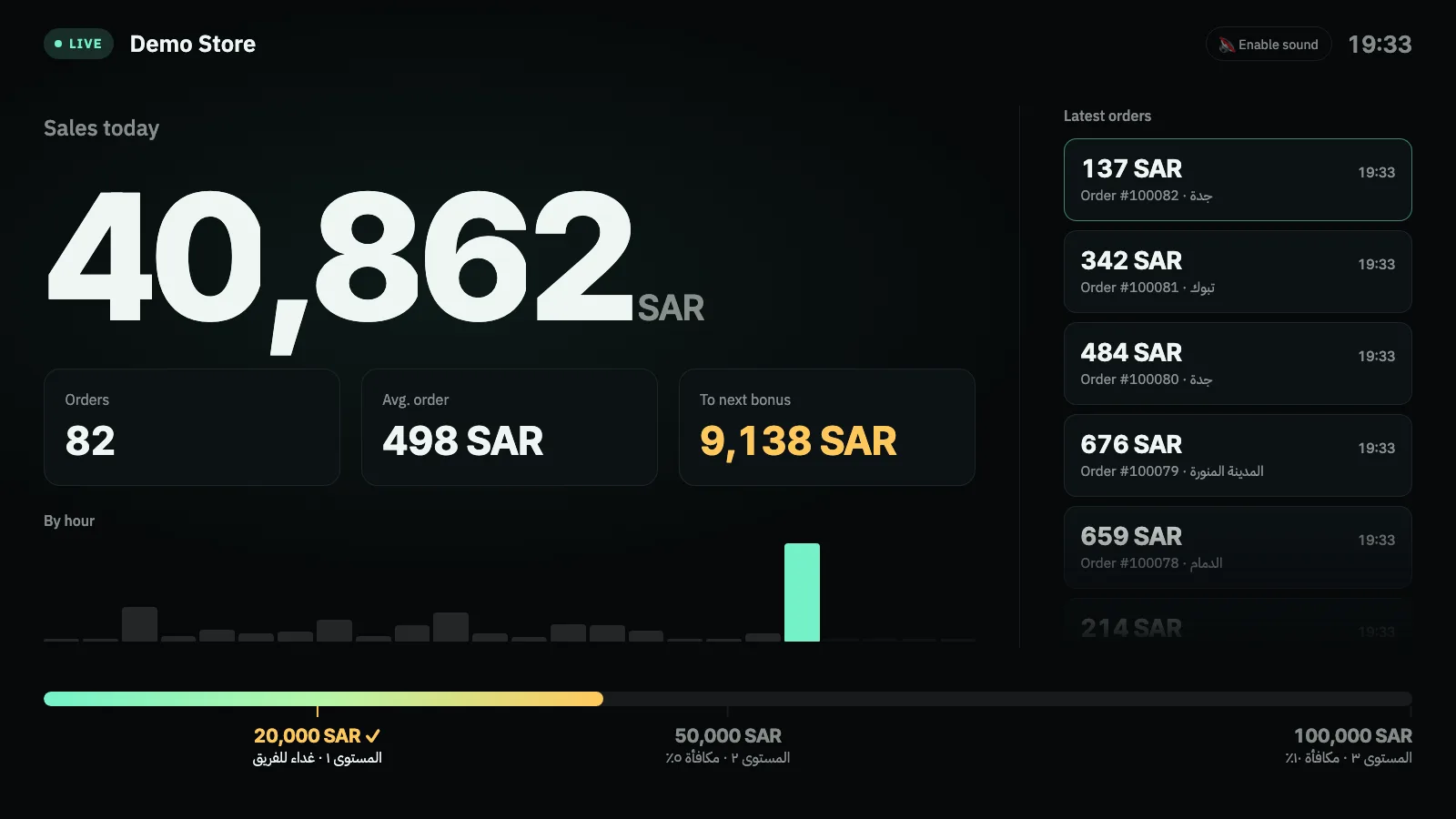
The latest orders list shows the shipping city, so the delivery team can get ready for what's next.
On graduation and occasion days, the team sees the pressure building in real time on the hourly chart.
At every level the screen shows a celebration with confetti and sound.
Illustrative numbers: choose the amounts that fit your store.
Put the screen near the prep area, not only in the office. They're the ones who most need to know what's coming.
One click in the Salla App Store takes you straight to your store's Nabd dashboard.
Choose the counting period (today or this month), then the amount and reward for each level.
Copy your private screen link and open it on any TV or monitor with a browser. Double-click for full screen.
Yes, the screen works on phones too. But don't share the link outside your team, and create a new link if it leaks.
It's removed from the total automatically when it's cancelled in Salla.
Try Nabd free for 7 days. After that you pay 9 SAR once, the launch price instead of 19 SAR, with no monthly subscription. Payment goes through Salla.
Any smart TV, or a screen connected to a device with a web browser. It also works on phones and laptops. There's nothing to install.
When you remove Nabd from your store, your store's connection data and settings are deleted from Nabd, and all screens stop.
Try it free for 7 days, then pay just 9 SAR once instead of 19 SAR. Setup takes minutes.